
9 Signs You Need a Custom CRM ERP Integration

Software integration services connect CRM, ERP, and marketing automation platforms so that customer, order, and revenue data move between systems automatically instead of being re-entered by hand.
Most mid-market companies do not realize they need this until the disconnect starts costing them time, deals, or trust in their own reporting. Below are nine signs that a custom integration, built around real-time sync and a defined system of record, is what your systems actually need, not another manual workaround.
A quick example to ground this: picture a distributor running HubSpot for sales and a NetSuite-style ERP for inventory and invoicing, across three warehouses and roughly 40 active SKUs. None of the nine signs below are hypothetical for a business shaped like that. They show up within the first quarter of scaling past a single location.
1. Your Team Re-Enters the Same Data in Multiple Systems
If a rep closes a deal in the CRM and someone in finance or operations manually keys that customer and order into the ERP, that is not a training gap, it is a missing sync layer.
The real question to ask is how the data moves today: batch export and import on a schedule, or a live connection. Batch syncs, even daily ones, create a window where the two systems disagree, and every manual re-entry inside that window is a chance for the record to drift permanently out of alignment rather than just temporarily.
For the distributor example, this typically shows up as a warehouse team keying in a new customer's shipping details a second time because the CRM record synced overnight and missed the same-day order.
2. Sales Cannot See Order or Fulfillment Status
When AEs email operations to check if an order shipped or is stuck in production, the CRM has stopped functioning as a source of truth. The fix is not a status field someone updates manually, it is a webhook or API-based sync that pushes ERP fulfillment events into the CRM in near real time, so status changes in one system automatically write to the other.
If your integration only runs on a nightly batch job, sales is always looking at yesterday's fulfillment picture, which is functionally the same problem as no integration at all.
3. Finance and Sales Report Different Revenue Numbers
A small, explainable variance between CRM pipeline and ERP booked revenue is normal. A recurring 5 to 10 percent gap that shows up every month and requires a reconciliation call is not. That pattern almost always points to one root cause: no single system has been designated as the master record for revenue status, so both systems are independently "correct" according to their own logic.
Fixing this requires deciding, in the integration architecture itself, which system owns which field, and building the sync so conflicts resolve automatically instead of getting settled in a meeting.
4. Marketing Automation Is Working Off Stale Contact Data
If campaign sends are built on contact records that have not synced with the CRM in days, segmentation quality drops immediately. The mechanical question here is whether the sync is one-way or bidirectional.
A one-way sync from CRM to marketing automation looks fine until someone updates a lifecycle stage inside the automation platform and that change never flows back, silently breaking segmentation logic that depends on it.
Complex setups with multiple data sources need bidirectional sync with clear rules for which platform wins when both sides update the same field close together.
5. Custom Fields Do Not Match Across Systems
A field called "Account Tier" in the CRM that maps to nothing, or to a differently defined field, in the ERP is a data model problem, not a naming inconsistency.
This is usually where point-to-point API integrations start to break down as a company grows, because every new custom field requires a developer to manually map it on both sides.
Middleware or iPaaS platforms, tools built specifically to sit between systems and manage field mapping, transformation, and error handling, solve this more sustainably than direct point-to-point builds once you are maintaining more than two or three connected systems.
6. Reporting Requires Manual Spreadsheet Work Every Month
If someone exports data from two or three systems and stitches it together before leadership sees real numbers, that recurring effort is the visible cost of a missing integration layer.
For the distributor example, this often looks like an ops analyst pulling inventory data from the ERP and pipeline data from the CRM into a shared spreadsheet every month just to answer "what can we actually sell against what we're forecasting."
A real-time sync with a shared reporting layer eliminates that reconciliation step entirely, because both data sets already live in one place.
7. Onboarding a New Rep or Ops Hire Takes Longer Than It Should
When new hires need someone to explain "how data actually flows between our systems" beyond what either platform shows on its own, the integration logic is living in people's heads instead of in the platform.
That is a real business risk, not just an onboarding inconvenience, because it means the system architecture cannot survive turnover. A properly documented integration, with sync logic and field ownership defined in the platform itself, removes that dependency.
8. You Have Outgrown Native or Off-the-Shelf Connectors
Native integrations and app marketplace connectors are built for standardized, common use cases, usually one-way syncs of a handful of default fields. Once a business has custom objects, multi-step approval workflows, or three or more systems that all need to stay in sync, those connectors run out of flexibility fast.
A custom integration differs mechanically in three specific ways: it syncs the exact fields and objects your business actually uses, it handles conflict resolution instead of just overwriting data in one direction, and it can trigger workflows across systems, like an ERP inventory threshold automatically updating a CRM deal stage, rather than just moving static data.
9. Every System Change Requires Manual Rework Elsewhere
If updating a price, product, or customer record in one system means remembering to update it in two other places, the systems are coordinated by memory, not integration.
A properly built sync removes that dependency by propagating the change automatically, with the field ownership rules from Sign 3 (Finance and Sales Report Different Revenue Numbers) determining which system's update takes precedence if there is ever a conflict.
What to Do If You Recognize These Signs
None of these signs mean your CRM, ERP, or marketing automation platform is the wrong choice. In almost every case, the systems were connected reactively, often through a native connector or a one-time API build, rather than architected around real-time sync, defined field ownership, and a clear system of record.
A custom integration built around your specific data model closes the reporting gaps and manual work described above without requiring you to replace any of the underlying platforms.
Frequently Asked Questions
What is a custom CRM ERP integration? It is a purpose-built connection between a CRM, an ERP, and often a marketing automation platform, using real-time or near real-time sync, defined field ownership, and conflict resolution logic tailored to a company's specific data model, rather than a generic native connector.
How is a custom integration different from a native connector? Native connectors typically sync a fixed set of standard fields in one direction on a schedule. A custom integration is built to sync custom fields and objects bidirectionally, resolve conflicts when both systems update the same record, and trigger cross-system workflows rather than just moving data.
What is the difference between batch sync and real-time sync? Batch sync moves data on a schedule, often hourly or daily, which creates a window where systems can disagree. Real-time sync uses webhooks or event-driven APIs to update systems within seconds of a change, which matters most for time-sensitive data like order status or inventory levels.
How do you decide which system is the source of truth for a given field? This is typically decided field by field during integration design. The system that originates or most frequently updates a piece of data, for example the ERP for inventory levels or the CRM for lead source, is usually designated the master, with the sync built to enforce that ownership automatically.
How long does a custom software integration project typically take? Timelines vary based on the number of systems and the amount of custom field mapping involved, but most projects move through discovery of the current data flow and field ownership, architecture design, build, and testing before going live.
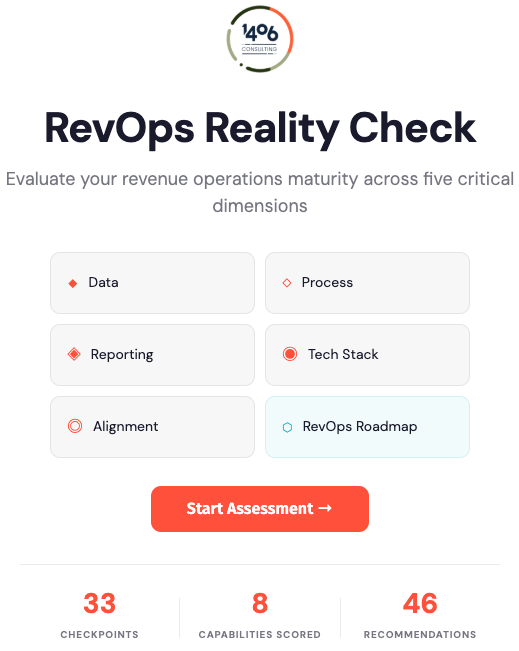
It doesn't matter what industry you're in or what your role is. Our RevOps Reality Check is a must for leaders looking to grow now.
It grades your company's RevOps setup across 5 critical frameworks & provides you with immediate, actionable steps to implement for your organization's success.
Featured Content